
Role-Based Access Control
Who can archive, access, or restore - set by role. Permissions apply per object and operation.
Salesforce Data Archival · Your Own AWS S3
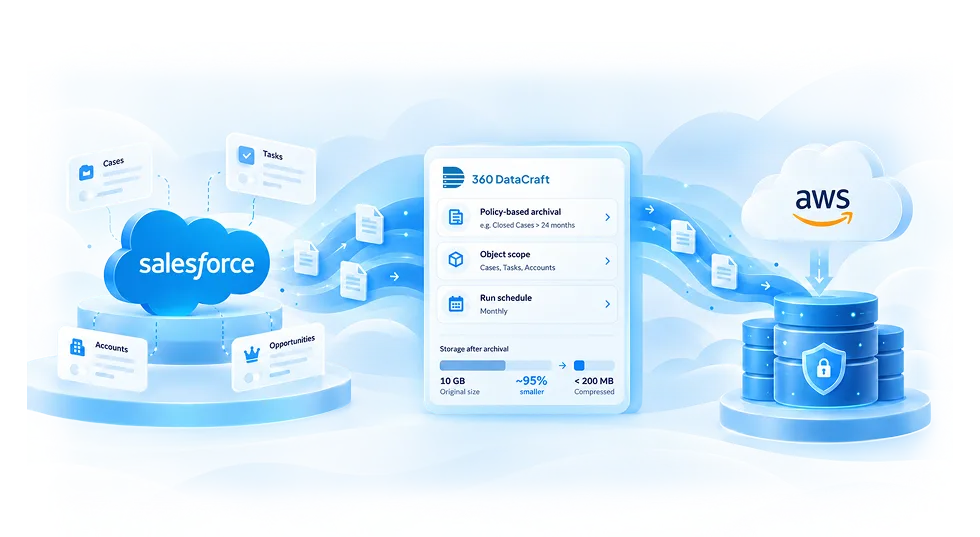
Move inactive records from Salesforce to your own AWS S3. Compressed, recoverable, and out of your Salesforce storage bill.
Recover archived records when needed
Compressed archive · Salesforce → Your S3
Direct-to-S3 archival; no data held by us
Age-based rules or custom criteria - archival runs on your terms.
Set a threshold - records older than 12, 24, or 36 months archive automatically.
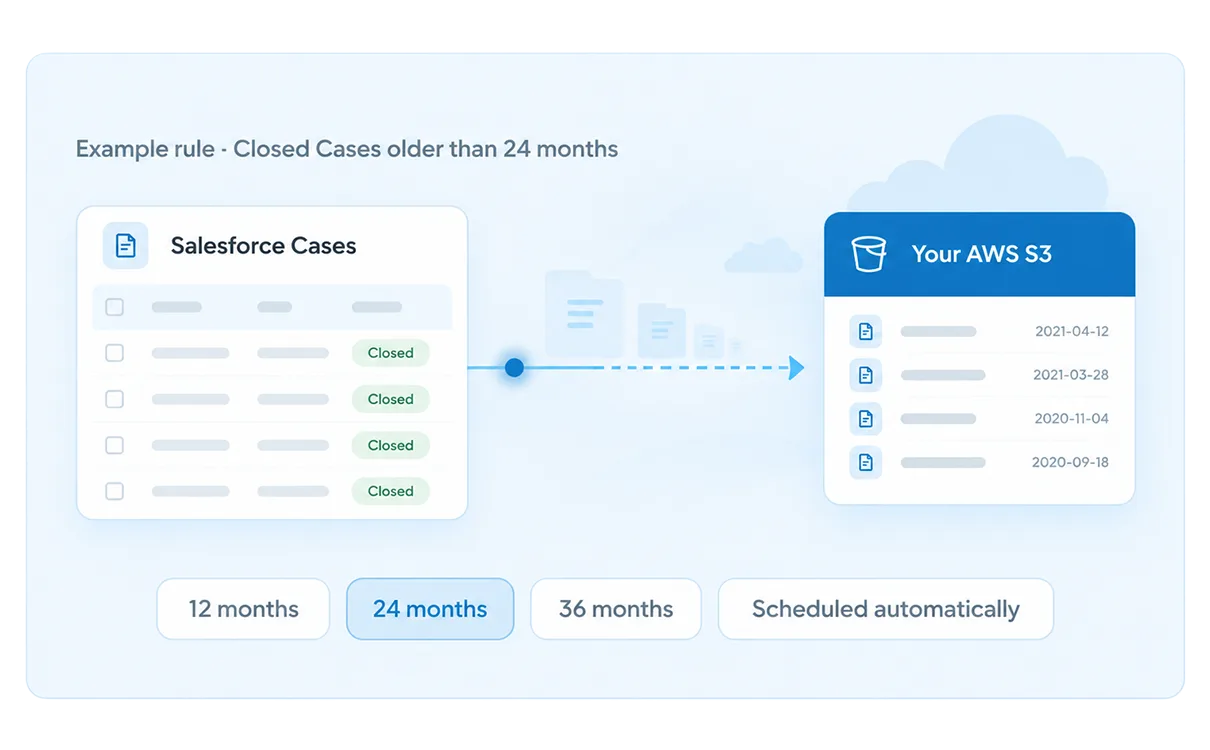
Set a threshold - records older than 12, 24, or 36 months archive automatically, on your schedule.
Target exact records by stage, owner, type, or any custom field using a SOQL query.
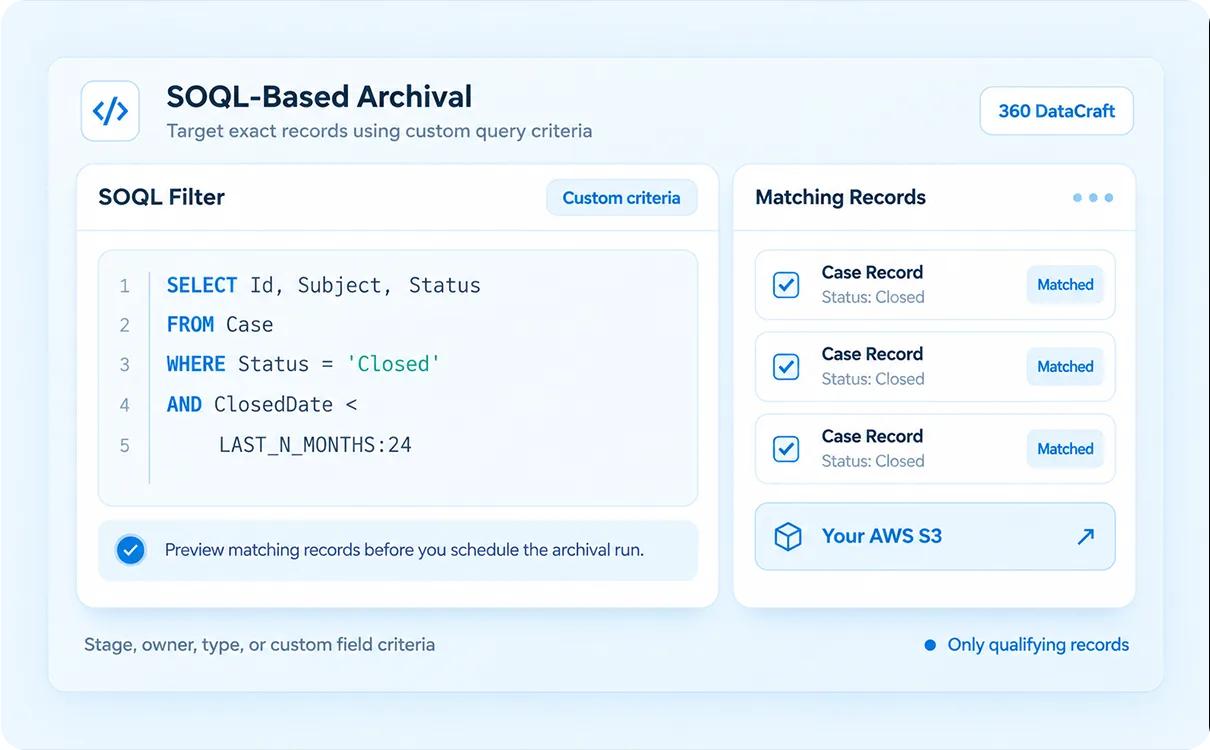
SELECT Id, Subject, Status
FROM Case
WHERE Status = 'Closed'
AND ClosedDate < LAST_N_MONTHS:24
Preview matching records before you schedule the archival run.
Combine both methods under one policy, on one schedule.
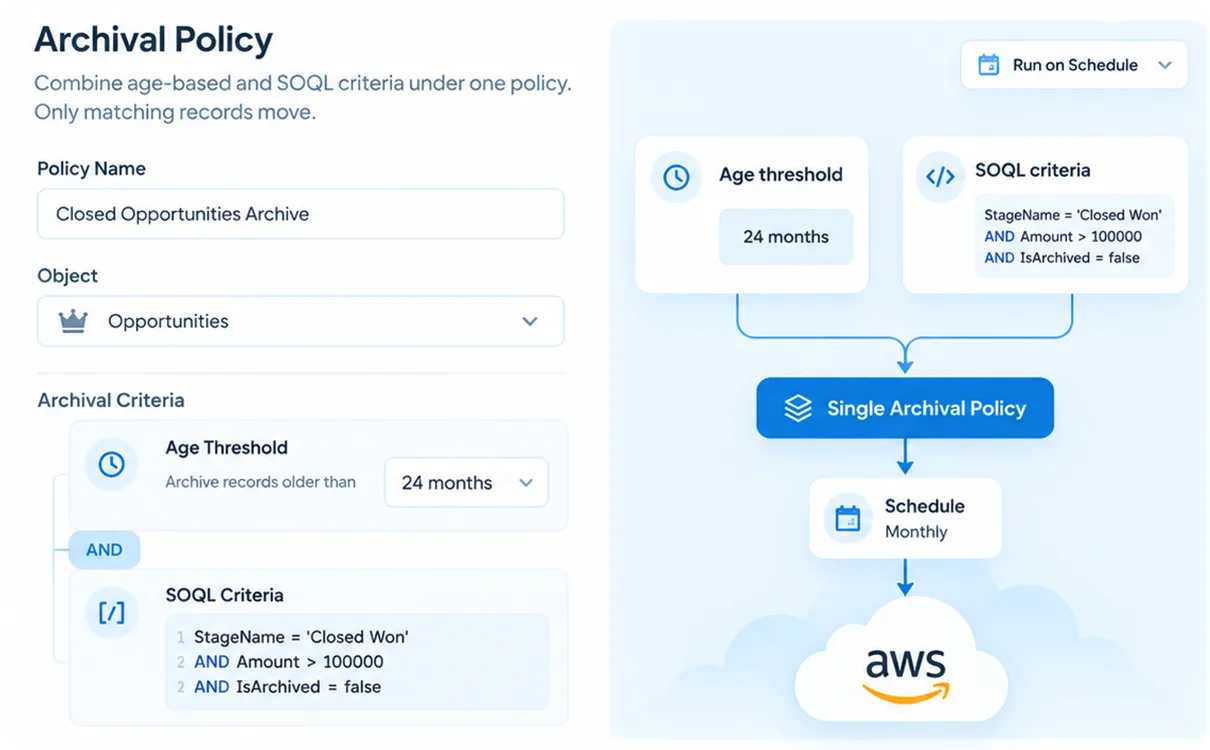
Combine age, status, ownership, or custom conditions and run them under one schedule. Only matching records move.
Named, scoped, and scheduled - not a one-click purge.
Choose which objects to archive - full object or filtered subset, adjustable anytime.
Set age thresholds or a SOQL filter. Matching records move; everything else stays.
Run nightly, weekly, or monthly. Each run processes only net-new qualifying records.
Your S3 bucket, prefix, region, and encryption - including Glacier for long-term retention.
Define how long historical records are retained - per object, per regulation.
Archive from production, sandbox, or multiple orgs - one 360 DataCraft account.
Watch one archival run take records from Salesforce to your AWS S3.
Every archived record stays accessible. Every move is auditable.
Inactive records move out of production automatically - based on your policies and schedules.
Records delete from Salesforce post-transfer. Storage cost drops within the first archival cycle.
Archived data compresses to 2–5% of original size. 10 GB lands under 200 MB in S3.
Restore any archived record on demand - one record, a filtered set, or bulk. Date, object, ID, or SOQL. No time limit.
Parent-child relationships preserved during archiving and restoration.
Every run logs objects, records moved, timestamps, and operator. Full compliance traceability.
Data lands in your own S3 bucket, compressed and versioned. 360 DataCraft retains nothing.
Route to warm S3 or auto-move older batches to Glacier. You set the thresholds.
Your data leaves Salesforce storage. It never leaves your control.
Archived data writes directly to your S3 with your credentials - 360 DataCraft moves it, never stores it.
Records removed from Salesforce after archival count toward your next billing cycle.
Route to warm S3 or auto-move older batches to Glacier; you set the thresholds.
Your AWS, your encryption, your access controls. HIPAA, GDPR, and SOX compliant out of the box.
Role-based controls, legal hold enforcement, compliance audit trails, and storage visibility - built into every archival operation.
Who can archive, access, or restore - set by role. Permissions apply per object and operation.
Require sign-off before archival or restoration runs on sensitive objects or in bulk.
Records under a hold can't be archived, purged, or modified until the hold is released.
Archive when eligible, purge when the window closes. GDPR erasure requests handled automatically.
HIPAA, SOX, GDPR, FINRA/SEC 17a-4. Full audit trail on every archival and purge operation.
Monitor total usage, track reduction over time, and identify high-volume objects before and after archival.
Every run logged - records moved, objects, operator, timestamp. Policy impact measured per cycle.
Storage and archival activity across production, sandbox, and multiple orgs - one dashboard.
Three steps from policy to cost reduction.
Set age-based thresholds or a SOQL filter. Choose objects and run frequency.
Preview qualifying records, confirm scope, and set your schedule - nightly, weekly, or monthly.
Records move to your AWS S3, compress automatically, and delete from Salesforce. Storage cost drops that cycle.
Set your archival policy once - 360 DataCraft moves inactive records out automatically and keeps them accessible in your own cloud.
Everything you need to know about Salesforce data archival.
Archival moves inactive records out of Salesforce and into your own AWS S3 - and deletes them from the org. Unlike backup, which keeps data in both places, archival is designed to reduce your Salesforce storage footprint while keeping records fully recoverable on demand.
You set a retention threshold per object - for example, archive all Cases closed more than 24 months ago. On each scheduled run, 360 DataCraft identifies records that cross that threshold and moves them to your S3. Only net-new qualifying records are processed each time.
Yes. Archived records are deleted from Salesforce after transfer, which directly reduces your org's data storage consumption. Most orgs see meaningful cost reduction within their first archival cycle.
Yes. Every archived record remains fully recoverable using 360 DataCraft's granular restore - filter by date, object, record ID, or SOQL and restore directly back into Salesforce on demand.
Backup keeps data in both Salesforce and AWS simultaneously - your org storage is unchanged. Archival moves data from Salesforce to AWS and removes it from the org, reducing your storage bill. Both are fully restorable. Most enterprises use backup for active data and archival for records older than 12 to 24 months.
No. All archived data is written directly to your own AWS S3 bucket using your credentials and encryption settings. 360 DataCraft acts as the transfer and compression layer - nothing is retained on our infrastructure at any point.
Yes. Because archived data lives in your own AWS environment under your encryption keys and access controls, 360 DataCraft supports HIPAA, GDPR, SOX, and FINRA/SEC 17a-4 requirements by design.