
Role-Based Permissions
Who can initiate, approve, or execute a restore - set by role, not by request.
Not a full-org rollback. Restore the right records, fields, and objects - in hours, not weeks.
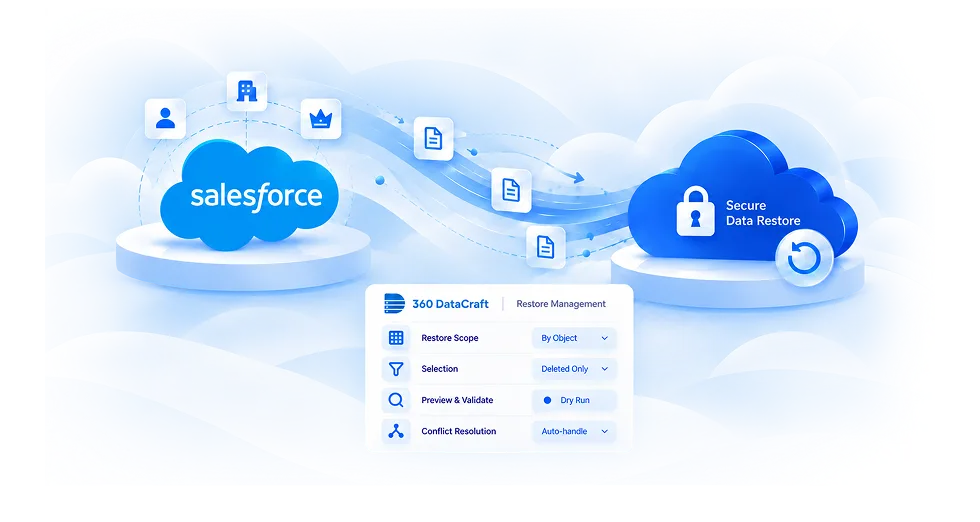
Scope it down before anything touches your live org.
Set an exact date range or time window. Undo what changed in that window.
Select a single object type or one specific record. Surgical recovery, no collateral changes.
Choose which fields to restore. The rest of the record stays exactly as it is.
Filter by who made the change. Undo a batch job, a user error, or an automation - by the person who ran it.
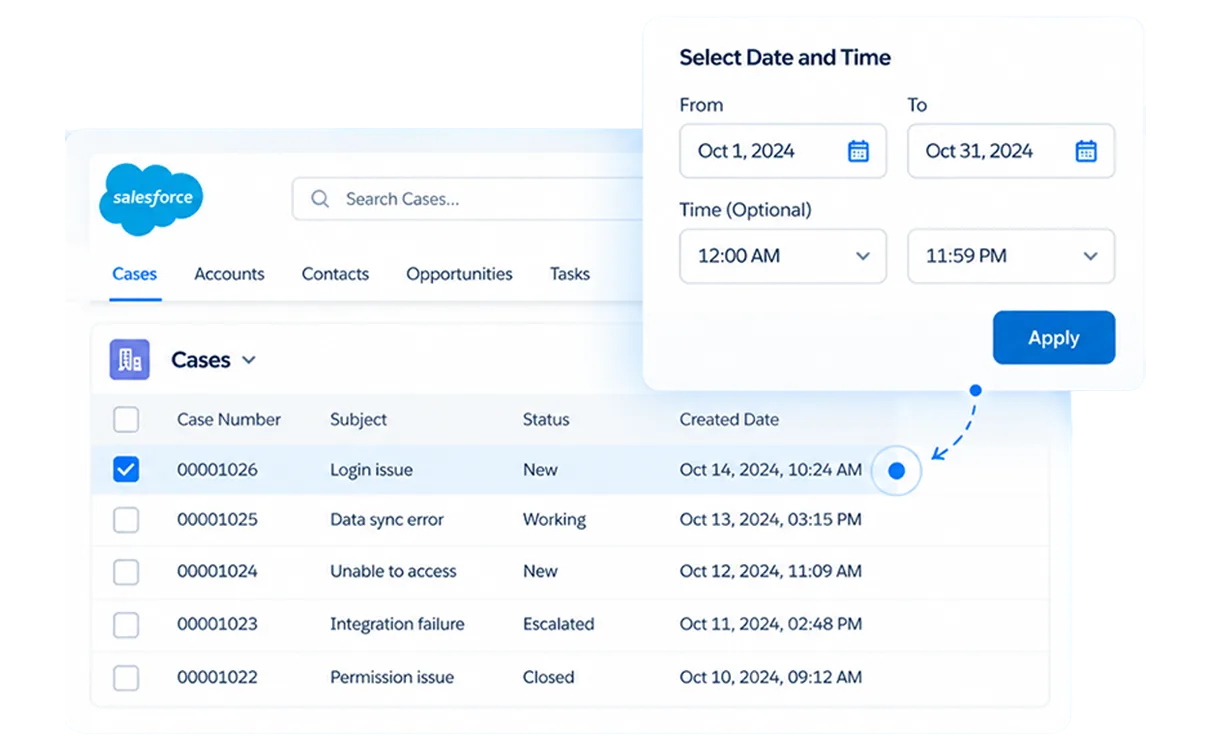
Set an exact date range or time window. Undo what changed in that window.
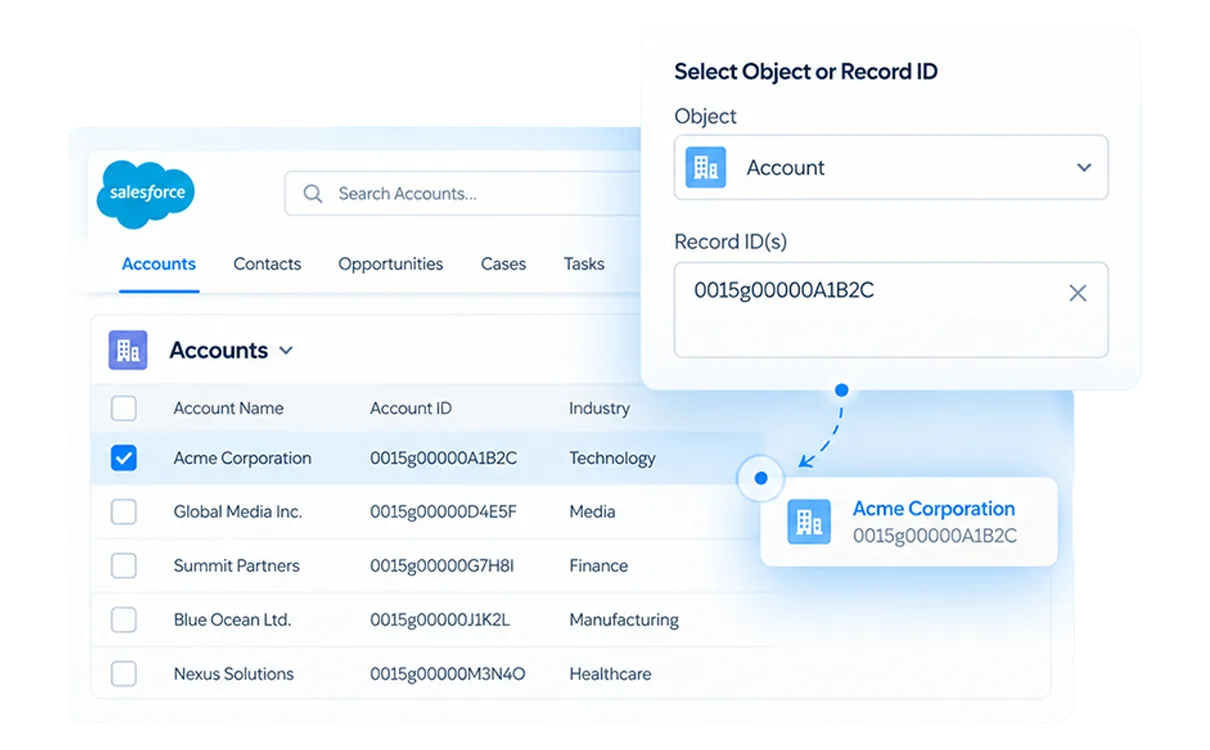
Select a single object type or one specific record. Surgical recovery, no collateral changes.
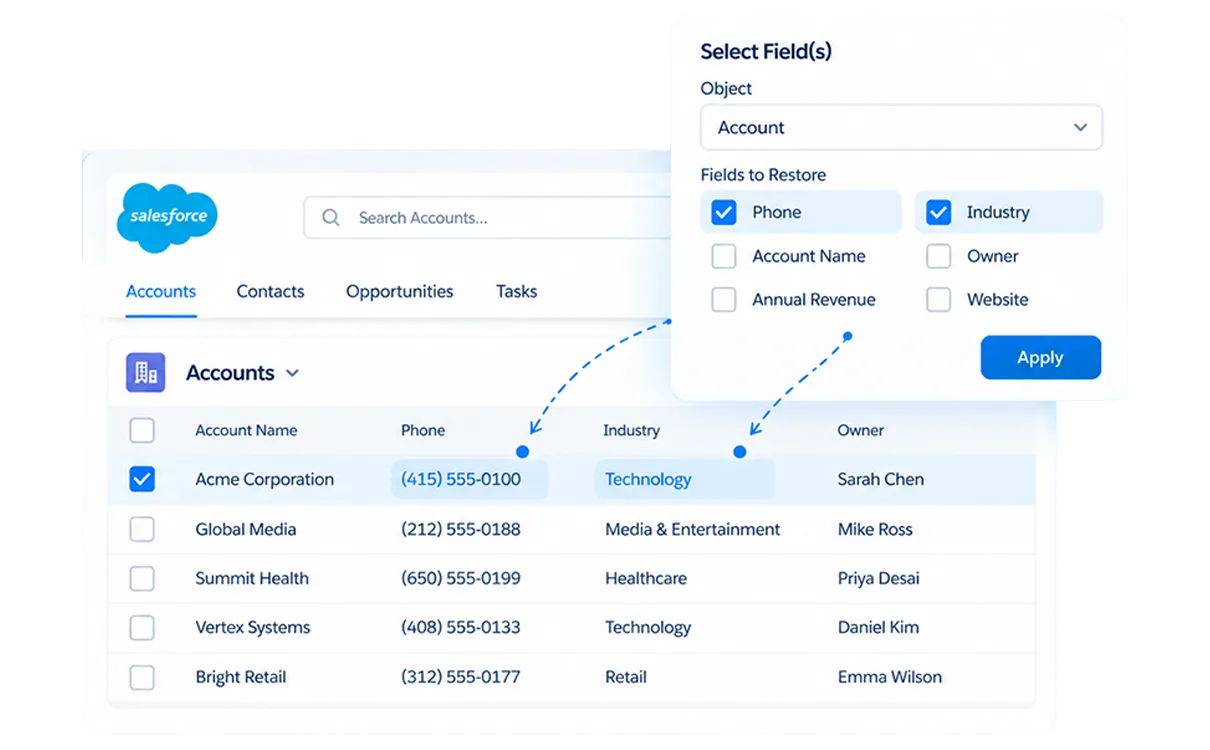
Choose which fields to restore. The rest of the record stays exactly as it is.
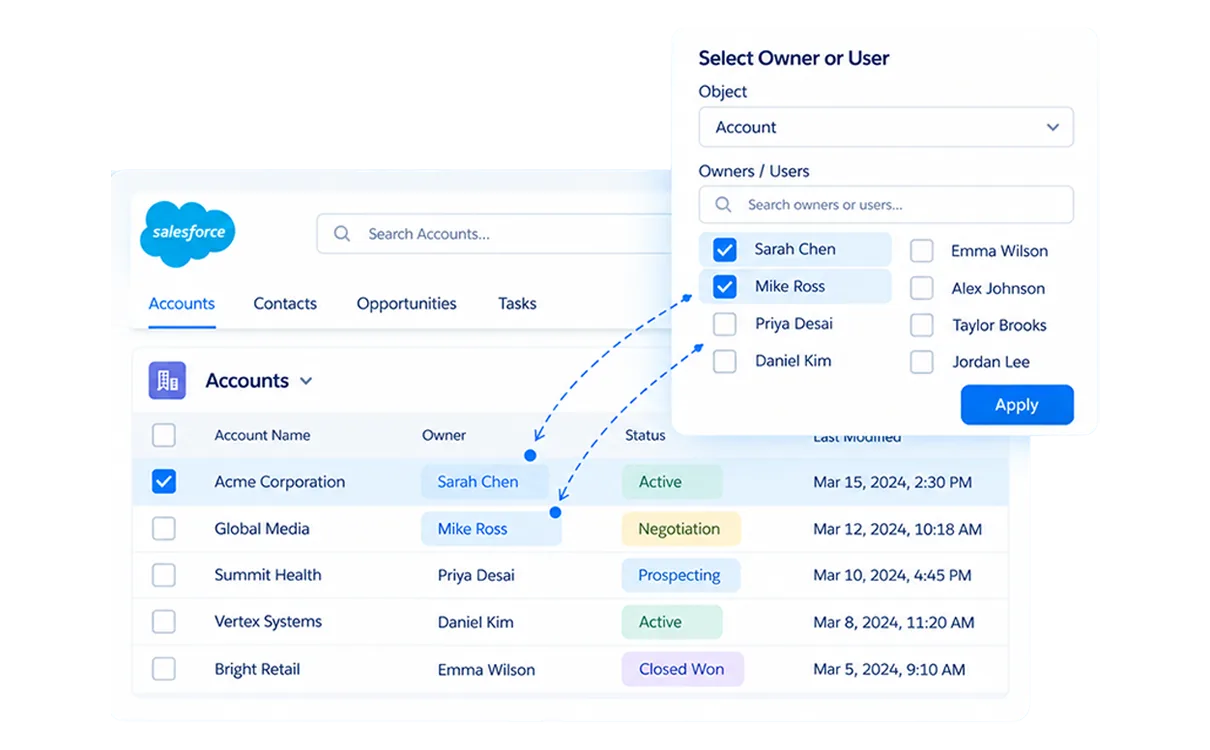
Filter by who made the change. Undo a batch job, a user error, or an automation - by the person who ran it.
Precise inputs before a single record is touched.
Full object or filtered - by date, ID, owner, or deleted-only records.
Pick which fields to recover. One field across thousands of records - nothing else changes.
Write a SOQL query to define which records qualify. Match count shown before you commit.
Choose how restored data lands: override, skip, append, or merge.
Your Recovery Should Take Hours. Not an Escalation Ticket.
See the Full Process LiveEvery filter available. Every recovery auditable.
See exactly what will be restored - counts, objects, conflict flags - before anything touches your live org.
Recover records deleted post-install - even after the recycle bin clears. No time limit.
Restore one field or thousands at once. Individual or group recovery - nothing outside your defined scope changes.
Use any valid SOQL query as a restore filter. Only matching records are restored.
Restore a parent and all child records come back with relationships intact - no manual re-linking.
Logs operator, timestamp, records affected, and outcome. Every restore is fully traceable.
Pull backup data as CSV from the dashboard without writing back to Salesforce.
Override, skip, append, or merge - choose how restored data lands against existing records.
From incident to resolved - without a support ticket.
Date, time, object, record ID, field, owner, deleted-only, or SOQL - combine filters to narrow precisely.
Preview records and fields affected. Review counts and conflict flags before committing.
Choose how existing records are handled: override, skip, append, or merge.
override (replace existing with backup version)
The recycle bin empties after 15 days. Your backup doesn't.
Every deletion is captured and versioned from the moment of install.
Recover records deleted days, months, or years ago - no time limit.
Parent-child linkages come back intact, automatically.
Every field value at deletion is retained. Recover the exact state, not a partial record.
Role-based access, legal hold enforcement, and regulatory compliance are enforced before a single record is touched.
Who can initiate, approve, or execute a restore - set by role, not by request.
Second sign-off required before any restore commits. Enforced on sensitive objects and bulk operations.
Permissions apply per object. Contact access doesn't carry over to Opportunities or records.
Records under an active hold can't be modified or purged - even through a restore.
Out-of-window records flagged before commit. Purged personal data stays purged - erasure flags persist across backup versions.
SOX, HIPAA, and FINRA/SEC 17a-4 - full audit trail on every restore, data stays in your AWS throughout.
Most orgs complete a targeted Salesforce data restore within hours of an incident, no consultant, no waiting on vendor support.
Book a DemoGranular restore means recovering only the specific records, fields, or objects that need fixing, without touching the rest of your org. You filter by date, time, object, record ID, field, owner, or SOQL before anything is written back.
Yes. 360 DataCraft versions every deletion from the moment of install. Even after the recycle bin empties, deleted records remain recoverable from your AWS with no platform-imposed time limit.
Field-level restore lets you recover specific fields on a record rather than replacing the full record. If a mass update overwrote email addresses or custom fields, you restore just those fields - leaving everything else unchanged.
A SOQL restore filter lets you write a custom Salesforce query to define exactly which records get restored. Useful for complex scenarios, recovering records tied to a specific account, campaign, stage, or custom field value.
Before any restore runs, 360 DataCraft shows you exactly which records and fields will be affected - counts, objects, and any conflict flags. Nothing touches your live org until you confirm.
Four modes: override (replace existing with backup version), skip (leave existing record untouched), append (create as a new record), or merge (combine field values). You set the mode before the restore runs.
Yes. Restoring a parent object brings back all child records with correct relationship linkages intact - no manual re-linking required.